[en] Internet Explorer, Chrome, Safari transform: skew aliasing aka jagged edges

Let’s say you have an HTML code as this one:

<section>
    <img src="gfx/slider1.jpg" alt=""/>
    <article class="container">
        Lorem ipsum dolor sit amet...
    </article>
</section>

and you skew it using CSS trans­forms (I’m using LESS):

section {
    position: relative;
    overflow: hidden;
    height: 740px;
    transform: skewY(-2.917deg);

    > img, > article {
        position: absolute;
        left: 0;
        top: 0;
        right: 0;
        bottom: 0;
    }

    > article {
        transform: skewY(2.917deg);
    }
}

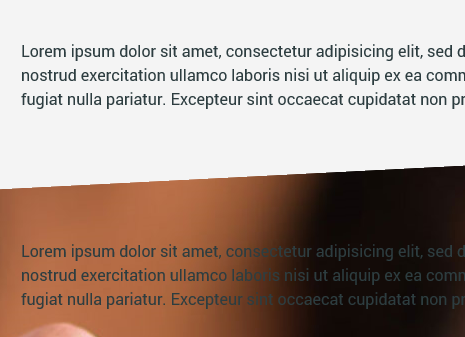
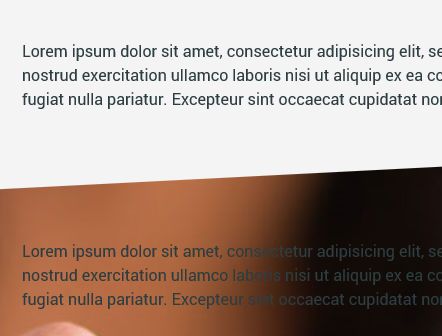
It works nice­ly in all modern brow­sers, but of cour­se Inter­net Explo­rer must give you a heada­che by pre­sen­ting jag­ged, alia­sed edge:

To for­ce it to antia­lias the edge, just apply this lit­tle fix:

section > img {
    top: -1px;
}

and sud­den­ly it looks like this:

Why? It seems IE antia­lia­ses only the trans­for­med ele­men­t’s edges, but does nothing for its con­tents. When ima­ge is moved bey­ond parent, ske­wed ele­ment — its antia­lia­sing takes care of stuff.

If it has jag­ged edges in Chro­me, Safa­ri and other Webkit-based brow­sers, apply ano­ther fix:

section {
    -webkit-backface-visibility: hidden;
    backface-visibility: hidden;
}

[en] Get NamedQuery as string in Eclipselink

It’s nice to have all the queries in one pla­ce and @NamedQuery give you just that. But what if you need to have para­me­tri­zed ORDER BY or stuff like that — Name­dQu­eries are sta­tic and can­not be modi­fied and ORDER can’t use a parameter.

The­re is no sim­ple way to custo­mi­ze the Name­dQu­ery, too. You can use set­Ma­xRe­sults but not „setOr­der”.

My solu­tion is to read @NamedQuery anno­ta­tio­n’s „query” para­me­ter and con­struct the query myself, adding neces­sa­ry ORDER BY clause.

The code is (Eclip­se­link-spe­ci­fic):

import javax.persistence.NamedQuery;
import javax.persistence.Query;
import org.eclipse.persistence.internal.jpa.EJBQueryImpl;
import org.eclipse.persistence.queries.DatabaseQuery;
// (...)
public String getNamedQueryString(String namedQuery) {
    Query tmpQuery = entityManager.createNamedQuery(namedQuery);
    DatabaseQuery databaseQuery = ((EJBQueryImpl) tmpQuery).getDatabaseQuery();
    Class resultClass = databaseQuery.getReferenceClass();

    NamedQuery annotation = (NamedQuery) resultClass.getAnnotation(NamedQuery.class);

    // it's possible there's NamedQueries instead of single NamedQuery annotation
    if (annotation == null) {
        NamedQueries annotations = (NamedQueries) resultClass.getAnnotation(NamedQueries.class);
        for (NamedQuery nq : annotations.value()) {
            if (namedQuery.equals(nq.name())) {
                annotation = nq;
                break;
            }
        }
    }

    return annotation.query();
}
// (...)

[en] Bootstrap — accordion closes modal

Becau­se Boot­strap events are not name­spa­ced until they rele­ase ver­sion 3.0 (see https://​github​.com/​t​w​i​t​t​e​r​/​b​o​o​t​s​t​r​a​p​/​i​s​s​u​e​s​/​3​736), they con­flict with each other. It cau­ses for instan­ce clo­sing modals when swit­ching accor­dion tabs — they both listen to „hid­den” event. A sim­ple, glo­bal solu­tion is not to use data-toggle=„collapse” but fol­lo­wing code (that atta­ches „live”, 1.9.x jQu­ery style):

$(document).on('click', 'a.accordion-toggle', function(event) {
    event.preventDefault();
    var parent = $(this).parent().parent(),
        body = parent.find('.accordion-body');
        
    // hide currently shown group
    parent.parent().find('.accordion-body.collapse.in').collapse('toggle').on('hidden', function(event) {
        event.stopPropagation();
    }); 
    
    // show newly clicked group
    body.collapse('toggle').on('hidden', function(event) {
        event.stopPropagation();
    });
});